Printable Notice to Quit Template for the State of Massachusetts Open Notice to Quit Editor Here

Printable Notice to Quit Template for the State of Massachusetts

The Massachusetts Notice to Quit form is a legal document used by landlords to formally notify tenants that they must vacate the rental property. This notice serves as a crucial first step in the eviction process, providing tenants with a clear timeline for when they need to leave. Understanding this form is essential for both landlords and tenants to ensure compliance with state laws and to protect their rights.

In the realm of landlord-tenant relationships in Massachusetts, the Notice to Quit form plays a crucial role in the eviction process. This document serves as a formal communication from a landlord to a tenant, signaling the intention to terminate the lease agreement. Typically, it outlines the reasons for the termination, whether due to non-payment of rent, lease violations, or other grounds specified by state law. The form must adhere to specific legal requirements, including the time frame within which the tenant must vacate the premises, which can vary based on the circumstances. Importantly, the Notice to Quit must be delivered in a manner that complies with Massachusetts regulations, ensuring that the tenant receives proper notice. Understanding the nuances of this form is essential for both landlords and tenants, as it lays the groundwork for any subsequent legal proceedings related to eviction, making it a key document in maintaining lawful rental practices.

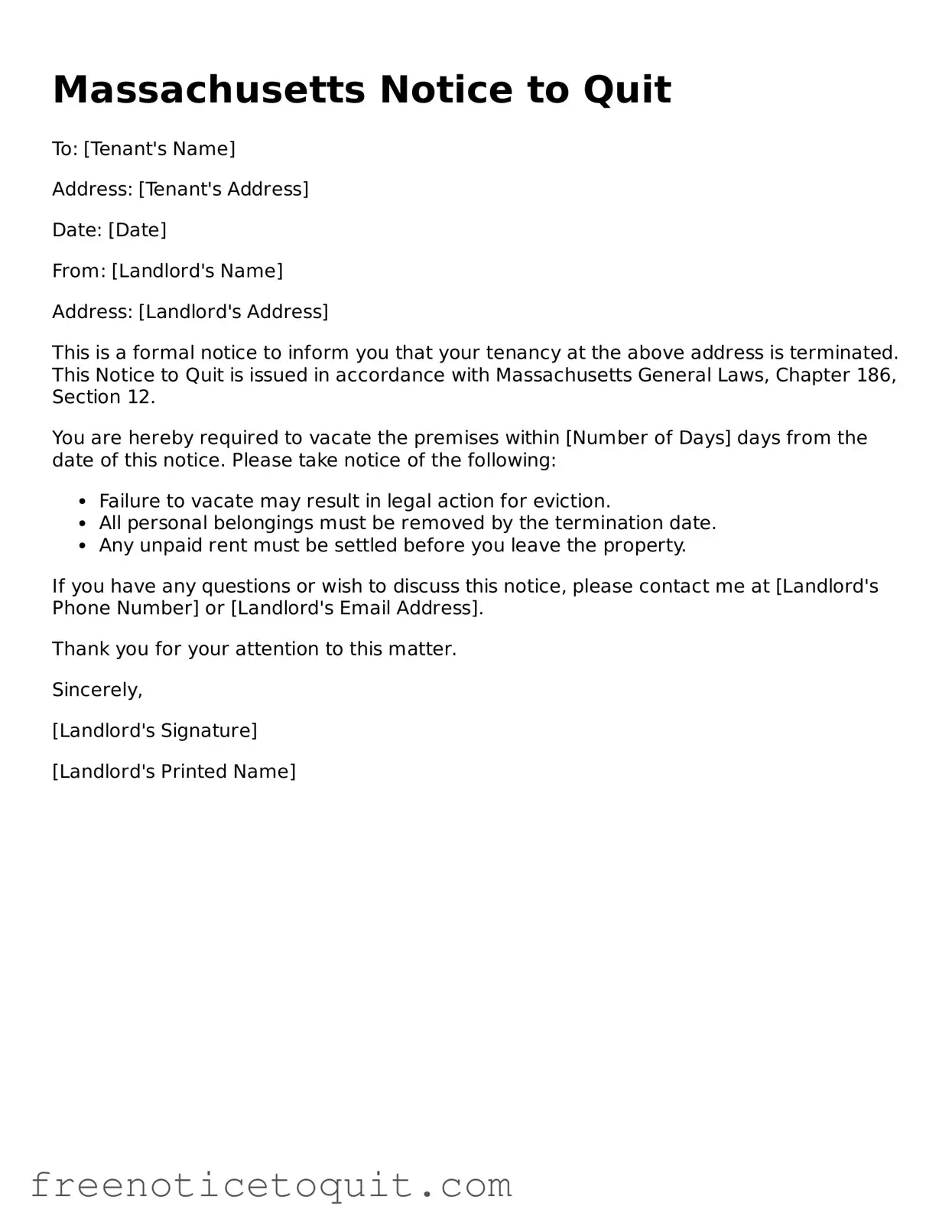
Massachusetts Notice to Quit Sample

Massachusetts Notice to Quit

To: [Tenant's Name]

Address: [Tenant's Address]

Date: [Date]

From: [Landlord's Name]

Address: [Landlord's Address]

This is a formal notice to inform you that your tenancy at the above address is terminated. This Notice to Quit is issued in accordance with Massachusetts General Laws, Chapter 186, Section 12.

You are hereby required to vacate the premises within [Number of Days] days from the date of this notice. Please take notice of the following:

  • Failure to vacate may result in legal action for eviction.
  • All personal belongings must be removed by the termination date.
  • Any unpaid rent must be settled before you leave the property.

If you have any questions or wish to discuss this notice, please contact me at [Landlord's Phone Number] or [Landlord's Email Address].

Thank you for your attention to this matter.

Sincerely,

[Landlord's Signature]

[Landlord's Printed Name]

PDF Data

Fact Name Description
Purpose The Massachusetts Notice to Quit form is used by landlords to inform tenants of the termination of their lease.
Governing Law This form is governed by Massachusetts General Laws Chapter 186, Section 12.
Notice Period Landlords must provide a minimum of 14 days' notice for non-payment of rent.
Delivery Methods The notice can be delivered in person, by certified mail, or by posting on the property.
Contents Required The notice must include the address of the rental property and the reason for termination.
Tenant Rights Tenants have the right to contest the notice in court if they believe it is unjust.
Form Availability The Massachusetts Notice to Quit form can be obtained online or through local housing authorities.

Instructions on Utilizing Massachusetts Notice to Quit

Filling out the Massachusetts Notice to Quit form is an important step in the process of terminating a tenancy. Once completed, this form will need to be delivered to the tenant, initiating the legal process for eviction if necessary. It is crucial to ensure that all information is accurate and clearly presented to avoid any complications down the line.

  1. Obtain the Form: Start by downloading or printing the Massachusetts Notice to Quit form from a reliable source.
  2. Fill in Your Information: Enter your name and address at the top of the form. This identifies you as the landlord.
  3. Tenant Information: Provide the name and address of the tenant. Make sure this information matches what is on the lease agreement.
  4. Specify the Property: Clearly indicate the address of the rental property that is the subject of the notice.
  5. State the Reason: If applicable, briefly explain the reason for the notice. This could include non-payment of rent or violation of lease terms.
  6. Provide the Date: Enter the date on which the notice is being issued. This is crucial for tracking the timeline of the eviction process.
  7. Set the Termination Date: Specify the date by which the tenant must vacate the property. This must comply with Massachusetts law regarding notice periods.
  8. Sign the Form: Sign and date the form at the bottom. This confirms that you are the person issuing the notice.
  9. Delivery Method: Decide how you will deliver the notice to the tenant. Options include personal delivery, certified mail, or posting on the property.

After completing these steps, ensure that you retain a copy of the Notice to Quit for your records. This will be important for any future legal proceedings, should they arise. Following the delivery of the notice, be prepared to take further action based on the tenant's response.

FAQ

What is a Massachusetts Notice to Quit form?

The Massachusetts Notice to Quit form is a legal document used by landlords to inform tenants that they must vacate the rental property. This notice is typically the first step in the eviction process. It outlines the reasons for the eviction and provides a specific timeframe for the tenant to leave the premises. Understanding this form is crucial for both landlords and tenants to ensure that their rights are protected during the eviction process.

When is a Notice to Quit required?

A Notice to Quit is required when a landlord wishes to terminate a tenancy. This can occur for various reasons, such as non-payment of rent, violation of lease terms, or simply the expiration of a lease agreement. The specific circumstances will dictate the type of notice and the time frame given to the tenant to vacate the property.

How much notice must be given to the tenant?

The amount of notice required varies depending on the reason for the eviction. For example, if a tenant has not paid rent, the landlord typically must provide a 14-day notice. If the lease has expired or the tenant is being evicted for other reasons, a 30-day notice is generally required. It’s important for landlords to comply with these timelines to ensure the notice is legally valid.

Can a tenant contest a Notice to Quit?

Yes, tenants have the right to contest a Notice to Quit. If a tenant believes the notice is unjust or that they have valid reasons for staying, they can respond to the notice or seek legal advice. It’s advisable for tenants to document any communications with their landlord and to be aware of their rights under Massachusetts law.

What happens if the tenant does not leave by the deadline?

If the tenant does not vacate the property by the deadline specified in the Notice to Quit, the landlord can proceed with filing an eviction lawsuit, known as a summary process action. This legal action can lead to a court hearing, where both parties can present their cases. If the court rules in favor of the landlord, the tenant may be ordered to leave the property.

Is there a specific format for the Notice to Quit?

While there is no official state form for the Notice to Quit, it must include certain key elements to be valid. These include the date of the notice, the names of the landlord and tenant, the address of the rental property, the reason for the eviction, and the date by which the tenant must vacate. Landlords should ensure that the notice is clear and properly formatted to avoid any complications.

What should a tenant do upon receiving a Notice to Quit?

Upon receiving a Notice to Quit, tenants should carefully read the document to understand their rights and obligations. They should consider their options, which may include paying any overdue rent, negotiating with the landlord, or seeking legal advice. Acting promptly can help tenants protect their rights and potentially avoid eviction.

Common mistakes

  1. Failing to include the correct tenant's name. Make sure the name matches the lease agreement.

  2. Not providing the property address. Ensure the full address is clear and accurate.

  3. Incorrectly stating the reason for termination. Be specific about why you are issuing the notice.

  4. Missing the date of the notice. This date is crucial for legal timelines.

  5. Not specifying the amount of time the tenant has to vacate. Massachusetts law requires a specific notice period.

  6. Using vague language. Clear and direct wording helps avoid confusion.

  7. Forgetting to sign the form. A signature is necessary to validate the notice.

  8. Not keeping a copy of the notice for your records. Always retain a copy for future reference.

  9. Sending the notice in a way that does not comply with legal requirements. Use certified mail or hand delivery as needed.

  10. Overlooking local laws or regulations. Check for any specific rules that may apply to your area.

Documents used along the form

The Massachusetts Notice to Quit form is a crucial document in the eviction process. It serves as a formal notice to tenants, indicating that they must vacate the premises within a specified timeframe. Several other forms and documents may accompany this notice to ensure the eviction process is legally compliant and properly executed. Below is a list of documents often used in conjunction with the Massachusetts Notice to Quit.

  • Summons and Complaint: This document initiates the eviction lawsuit in court after the Notice to Quit period has expired. It informs the tenant of the legal action being taken against them.
  • Affidavit of Service: This form verifies that the Notice to Quit was delivered to the tenant. It provides proof that the tenant received the notice, which is essential for the legal process.
  • Motion for Summary Judgment: This document requests the court to make a decision based on the evidence presented, without a full trial. It can expedite the eviction process if the tenant does not contest the eviction.
  • Judgment for Possession: This is a court order that grants the landlord the right to regain possession of the rental property. It is issued after a successful eviction hearing.
  • Execution for Possession: This document allows law enforcement to physically remove the tenant from the property if they do not vacate after the Judgment for Possession is issued.
  • Lease Agreement: This contract outlines the terms and conditions of the rental arrangement between the landlord and tenant. It is important for establishing the basis for the eviction.
  • Rent Ledger: A record of all rent payments made by the tenant. This document can be used to demonstrate non-payment of rent, a common reason for eviction.
  • Tenant's Response: If the tenant contests the eviction, they may file a response to the Summons and Complaint. This document outlines their defense against the eviction.
  • Notice of Default: This document serves as an additional warning to the tenant about their lease violations, such as non-payment of rent, before proceeding with the eviction process.
  • Settlement Agreement: If both parties reach an agreement, this document outlines the terms of the settlement, which may include payment plans or extended time for the tenant to vacate.

Understanding these documents is essential for both landlords and tenants navigating the eviction process in Massachusetts. Each form plays a specific role in ensuring that the eviction is conducted legally and fairly.

Similar forms

The Massachusetts Notice to Quit form serves as a formal document used by landlords to notify tenants of their intention to terminate a lease agreement. It is similar to the Eviction Notice, which also communicates a landlord's desire to end a tenancy. Both documents outline the reasons for termination, whether due to non-payment of rent or lease violations. The Eviction Notice typically includes a specific timeframe for the tenant to vacate the premises, just as the Notice to Quit does. This similarity helps ensure that both parties understand their rights and responsibilities in the process of ending a tenancy.

Another document that shares similarities with the Massachusetts Notice to Quit is the Lease Termination Letter. This letter is often used by tenants to formally notify landlords of their decision to move out. Like the Notice to Quit, it serves as an official communication regarding the end of a rental agreement. Both documents typically include important details such as the effective date of termination and any final responsibilities regarding the property. This helps maintain clarity between tenants and landlords during the transition.

The Demand for Possession is another document that aligns closely with the Notice to Quit. This legal notice is issued by landlords to demand that tenants vacate the property, often due to lease violations or failure to pay rent. Both documents aim to prompt action from the tenant, but the Demand for Possession may be issued after the Notice to Quit if the tenant has not complied. Each document plays a crucial role in the eviction process, ensuring that landlords follow the proper steps to regain possession of their property.

Similar to the Notice to Quit is the 30-Day Notice to Vacate, which is commonly used in month-to-month rental agreements. This notice informs tenants that they must leave the property within 30 days. Both documents provide a clear timeline for tenants to prepare for their move, ensuring that they have adequate time to find alternative housing. The 30-Day Notice to Vacate is often less confrontational than a Notice to Quit, but both serve the purpose of formally ending a tenancy.

The Final Notice to Quit is another document that bears resemblance to the Massachusetts Notice to Quit. This notice is typically issued after previous notices have been ignored, signaling a final opportunity for the tenant to vacate the property. Both documents emphasize the urgency of the situation and outline the potential consequences of not complying. They serve as a critical step in the eviction process, ensuring that tenants are aware of their last chance to address the issue before further legal action is taken.

The Written Notice of Lease Violation is also similar to the Notice to Quit, as it addresses issues that may lead to termination of the lease. This document informs tenants of specific violations, such as unauthorized pets or excessive noise. Both documents aim to communicate important information regarding the lease agreement, but the Written Notice of Lease Violation may provide tenants with an opportunity to rectify the situation before a Notice to Quit is issued. This proactive approach helps maintain a positive landlord-tenant relationship.

Lastly, the Rent Demand Letter is akin to the Massachusetts Notice to Quit in that it addresses non-payment of rent. This letter serves as a formal request for overdue rent and often precedes a Notice to Quit. Both documents emphasize the importance of timely rent payments and outline the potential consequences of continued non-payment. By clearly communicating expectations, these documents help landlords and tenants navigate financial responsibilities within the rental agreement.

Dos and Don'ts

When filling out the Massachusetts Notice to Quit form, it is important to follow certain guidelines to ensure the process goes smoothly. Here are five things to do and five things to avoid:

Things You Should Do:

  • Provide accurate information about the tenant and the property.
  • Clearly state the reason for the notice.
  • Include the correct date by which the tenant must vacate the premises.
  • Sign and date the form to validate it.
  • Keep a copy of the completed form for your records.

Things You Shouldn't Do:

  • Do not use vague language or unclear reasons for the notice.
  • Avoid leaving out important details, such as the address of the rental property.
  • Do not forget to check local laws for any additional requirements.
  • Refrain from sending the notice without proper delivery methods.
  • Do not ignore the need for documentation of the notice being served.

Misconceptions

Understanding the Massachusetts Notice to Quit form is essential for both landlords and tenants. However, several misconceptions can lead to confusion. Here are eight common misconceptions:

  1. The Notice to Quit is an eviction notice.

    Many people believe that a Notice to Quit is the same as an eviction notice. In reality, it is a formal request for a tenant to vacate the premises, but it does not initiate the eviction process itself.

  2. All Notices to Quit are the same.

    Notices to Quit can vary based on the reason for termination. Different circumstances, such as non-payment of rent or lease violations, require specific language and conditions.

  3. A Notice to Quit must be served in person.

    While personal service is one option, a Notice to Quit can also be sent via certified mail or posted on the property, depending on the circumstances and local laws.

  4. The tenant has no rights after receiving a Notice to Quit.

    Receiving a Notice to Quit does not mean a tenant must leave immediately. Tenants have the right to contest the notice and may have defenses available to them.

  5. A Notice to Quit can be issued for any reason.

    There are specific legal grounds for issuing a Notice to Quit. A landlord must have a valid reason, such as lease violations or failure to pay rent, to proceed with this notice.

  6. Once a Notice to Quit is issued, the landlord cannot change their mind.

    A landlord may choose to withdraw a Notice to Quit before the tenant vacates, especially if the issue has been resolved or if they wish to continue the tenancy.

  7. The Notice to Quit must be filed with the court.

    The Notice to Quit is not filed with the court. It is a private document served to the tenant, and any legal proceedings would occur only after the notice period has expired.

  8. There is a standard timeframe for all Notices to Quit.

    The timeframe for a Notice to Quit can vary. Massachusetts law requires different notice periods depending on the reason for termination, such as 14 days for non-payment of rent or 30 days for lease violations.

Key takeaways

When it comes to the Massachusetts Notice to Quit form, understanding the nuances can significantly impact the outcome of a tenancy dispute. Here are some key takeaways to keep in mind:

  1. Purpose of the Notice: The Notice to Quit serves as a formal communication from a landlord to a tenant, indicating the desire to terminate a tenancy.
  2. Legal Requirement: In Massachusetts, landlords must provide a Notice to Quit before initiating eviction proceedings. This step is crucial for compliance with state law.
  3. Timeframes Matter: The notice period varies based on the lease duration. For month-to-month leases, a 30-day notice is typically required, while a 14-day notice suffices for non-payment of rent.
  4. Written Format: The Notice must be in writing. Verbal notices are not legally binding and can lead to complications.
  5. Essential Information: Include the tenant’s name, address, and the reason for termination. Clear communication can help avoid misunderstandings.
  6. Delivery Methods: The notice can be delivered in person, sent via certified mail, or posted on the property. Ensure you keep a record of how the notice was delivered.
  7. Tenant's Response: Tenants have the right to respond to a Notice to Quit. Understanding their options can lead to resolutions without further legal action.
  8. Record Keeping: Maintain a copy of the Notice to Quit and any correspondence related to it. Documentation is vital if the matter escalates to court.
  9. Legal Advice: Consulting with a legal professional can provide clarity on specific situations. Each case may have unique circumstances that require tailored guidance.
  10. Understanding Consequences: Failing to comply with the Notice to Quit can lead to eviction proceedings. Being informed helps both landlords and tenants navigate the process more effectively.

By keeping these points in mind, both landlords and tenants can approach the Notice to Quit process with a clearer understanding of their rights and responsibilities.

Printable Notice to Quit Template for the State of Massachusetts

Open Notice to Quit Editor Here